

QR menu
A menu that knows
what’s left.
Guests scan the code on the table and see your menu in their own language. When the last portion goes, the dish greys out on every phone.
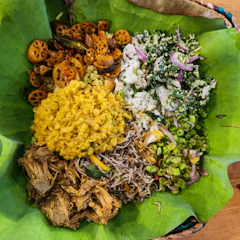 Rice & Curry750.00
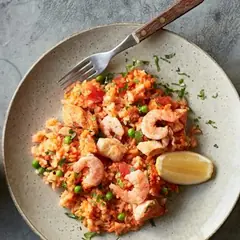 Seafood Fried Rice1,450.00
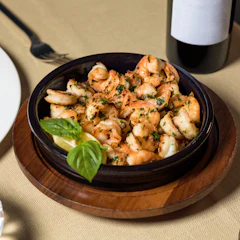 Devilled PrawnsSold out
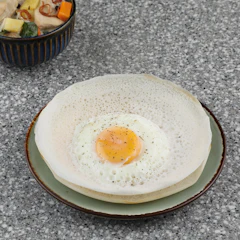 Egg Hoppers300.00
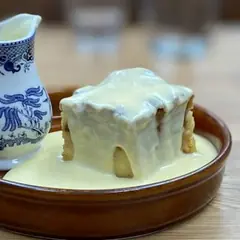 Watalappan450.00
 Fresh Lime Juice350.00
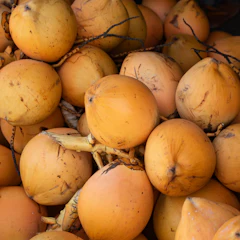 King Coconut250.00
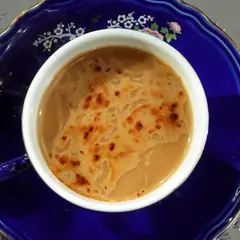 Milk Tea200.00
Every dish carries its name in all three languages. Guests pick theirs.
Three languages
Every dish has its name in English, Sinhala and Tamil, and guests choose theirs.
Sold out, automatically
Bello checks your recipes against your stock, so a dish you can’t make stops being offered.
Menus on a schedule
Breakfast, lunch, dinner and bar menus appear on their own at the right times.
No app to download
Guests just scan with their phone camera. Nothing to install, nothing to sign in to.
Codes for every table and room
Print ready-made QR sheets for each table, each room and the front door.
Fast on mobile data
Built to open quickly even on a slow connection, with photos, prices and dietary tags.
One menu, everywhere
You enter a dish once and it appears on the QR menu, the POS and the kitchen screen, with the same price and the same photo. Change a price and it changes everywhere.
Honest about what’s left
Sold-out dishes stay visible but greyed out, so guests aren’t disappointed when they order. They come back by themselves when stock arrives.
Questions? Answers.
Can guests order from the QR menu?
You can switch on QR ordering for each outlet. Orders then arrive at the POS for your staff to accept, so nothing reaches the kitchen without a check.
Which languages does the QR menu support?
English, Sinhala and Tamil. Guests pick their language and the whole menu changes, including categories and sold-out labels.
Do I need to update the menu by hand when a dish runs out?
No. If a dish’s ingredients run out in stock, it greys out automatically. Your team can also mark it sold out in one tap.

See Bello run your place.
Book a demo and we’ll walk you through Bello with a place like yours.